
Two units
Every plan comes with an allowance of two things:
- Scans. One scan is one card or badge read successfully.
- Analyses. One analysis is one new AI analysis of a business: the quick look and the full analysis together.
What uses allowance
| Action | Uses |
|---|---|
| A card or badge read successfully, from the camera or an uploaded photo | 1 scan |
| Analyse business · 1 analysis on a contact | 1 analysis |
| Research again · 1 analysis on a saved brief | 1 analysis |
What is free
| Action | Cost |
|---|---|
| Scanning a card that is already in the same collection | Free: the scan is given back |
| A photo that is not a business card | Free: given back |
| A card read that fails | Free: given back |
| An analysis that fails | Free: given back |
| The quick look finishes but the full analysis does not | Free: the quick look is saved and the analysis given back |
| Adding a contact by hand, with or without a card photo | Free |
| Reading your own card for My card | Free |
| Opening a saved brief, also from another contact at the same business | Free |
| Analysing a business a teammate is already analysing | Free: you follow the analysis already running |
| Drafting your company context from your website | Free |
| Priorities, notes, editing and deleting contacts | Free |
| Collections, invitations, My card and follow-up emails | Free |
| Exporting to CSV | Free |
Reaching an hourly fair-use limit uses nothing either: the scan or analysis is refused before anything is taken. See “You can scan up to 60 cards an hour”.
Team allowances are shared
In a company workspace the allowance belongs to the workspace, not to each person. A Team Pass has 500 scans for the whole team, whoever does the scanning. Business works the same way, with a new shared allowance every month.
Your personal space has its own, separate allowance. Scanning in one workspace never uses the allowance of another. See Personal space and company workspaces.
Where to see what is left
- Overview and Account show the scans and analyses left in the workspace you are in. On the laptop, see Plan & billing›Available allowance and the bottom of the sidebar.
- The scan sheet shows the count once fewer than 10 scans are left, with Top up (paid plans) or Choose a plan (free trial).
- Account›Allowance & expiry details lists each allowance, what is left of it and when it expires. See Rollover and expiry.
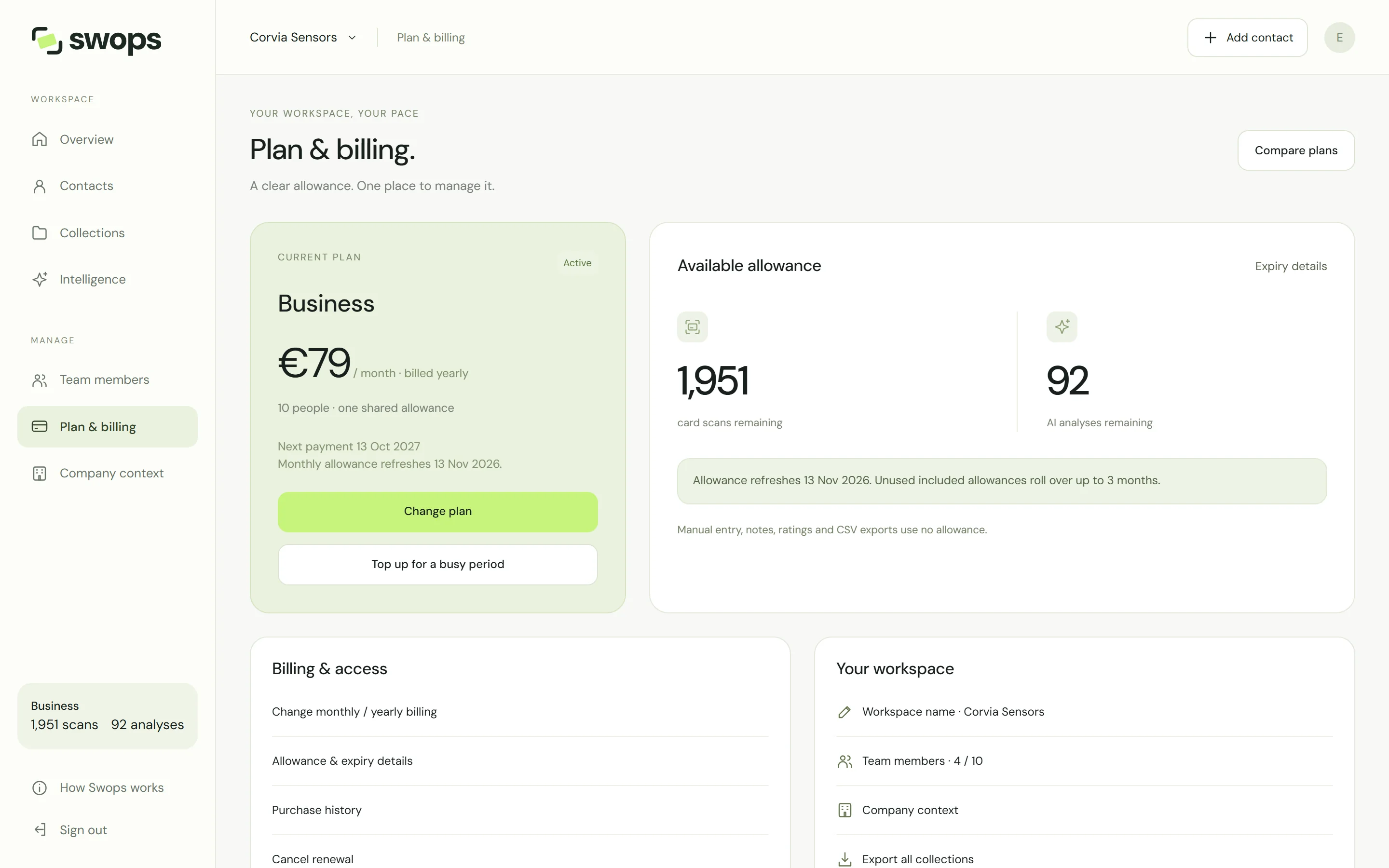
Allowance can only be used while the workspace is active. In a company workspace without a plan, and in the 30-day export-only period after a plan ends, the counters show 0. Anything that has not expired yet, such as a top-up, can be used again once the workspace has an active paid plan.
Ran out?
- Buy a top-up for a busy period: Top-ups.
- On Solo and Business, wait for the next monthly allowance. The plan card shows the date.
- Keep collecting in the meantime: adding contacts by hand is always free.