
The options
| Top-up | Price |
|---|---|
| 500 scans | €39 |
| 25 analyses | €15 |
| 100 analyses | €49 |
- One-time purchases. Nothing renews, and there are no automatic top-ups.
- Valid 12 months from the day you buy.
- Need an active paid plan: Solo, Team Pass or Business. Top-ups are not available on the free trial.
- For the workspace you are in, shared by everyone in it.
- Do not extend your plan or how long your contacts are kept.
In US dollars the numbers are the same, with any sales tax added at checkout.
Add a top-up
Open Account›Top up for a busy period. On the laptop, Top up analyses on the Intelligence page works too. The sheet A little extra, when you need it opens with the analysis top-ups. For scans, tap Need scans instead?.
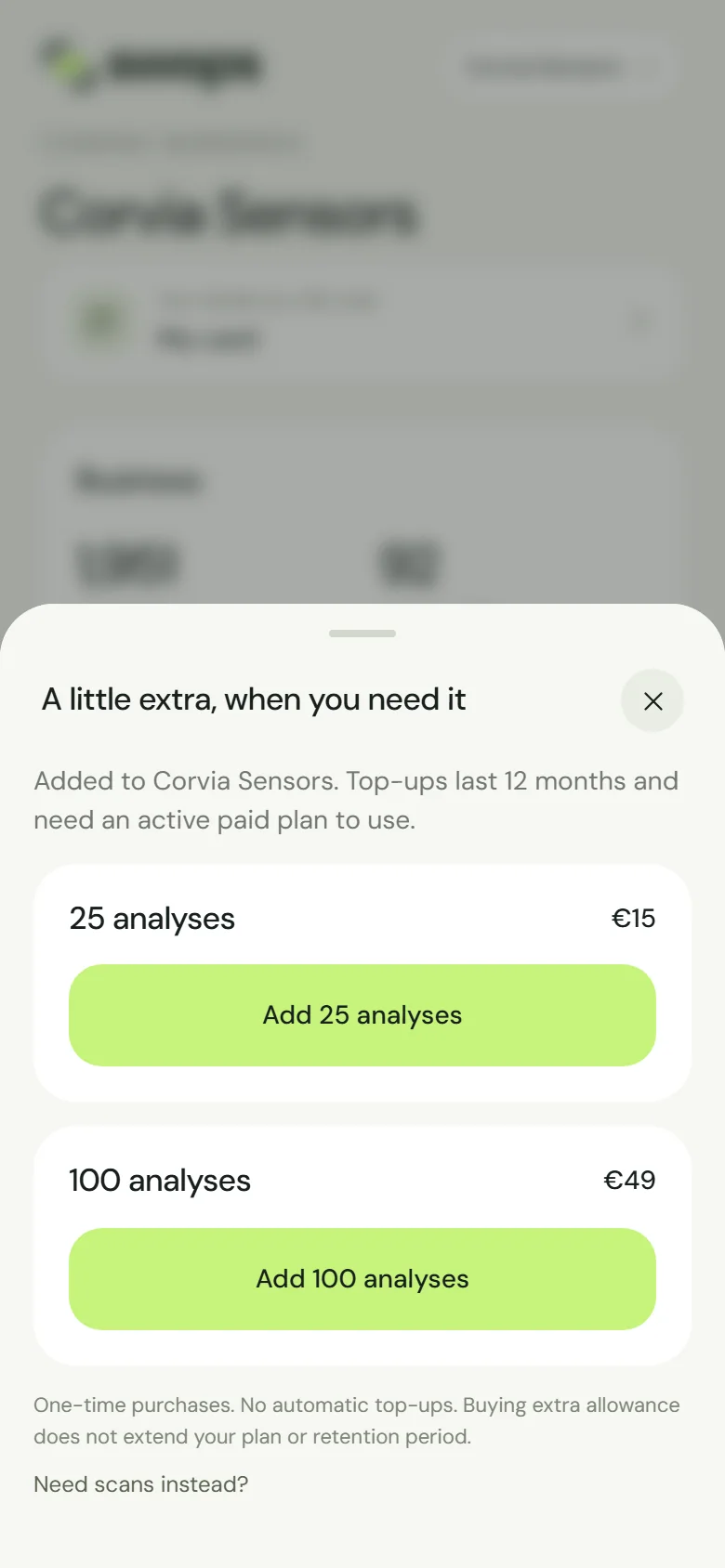
A little extra, when you need it. Tap Add 25 analyses, Add 100 analyses or Add 500 scans.
Check Review your purchase, tick “I have reviewed the price, allowance and validity terms and agree to the Terms of Service and Refund Policy.” and tap Continue to payment · €15 (the button shows the price of your choice).
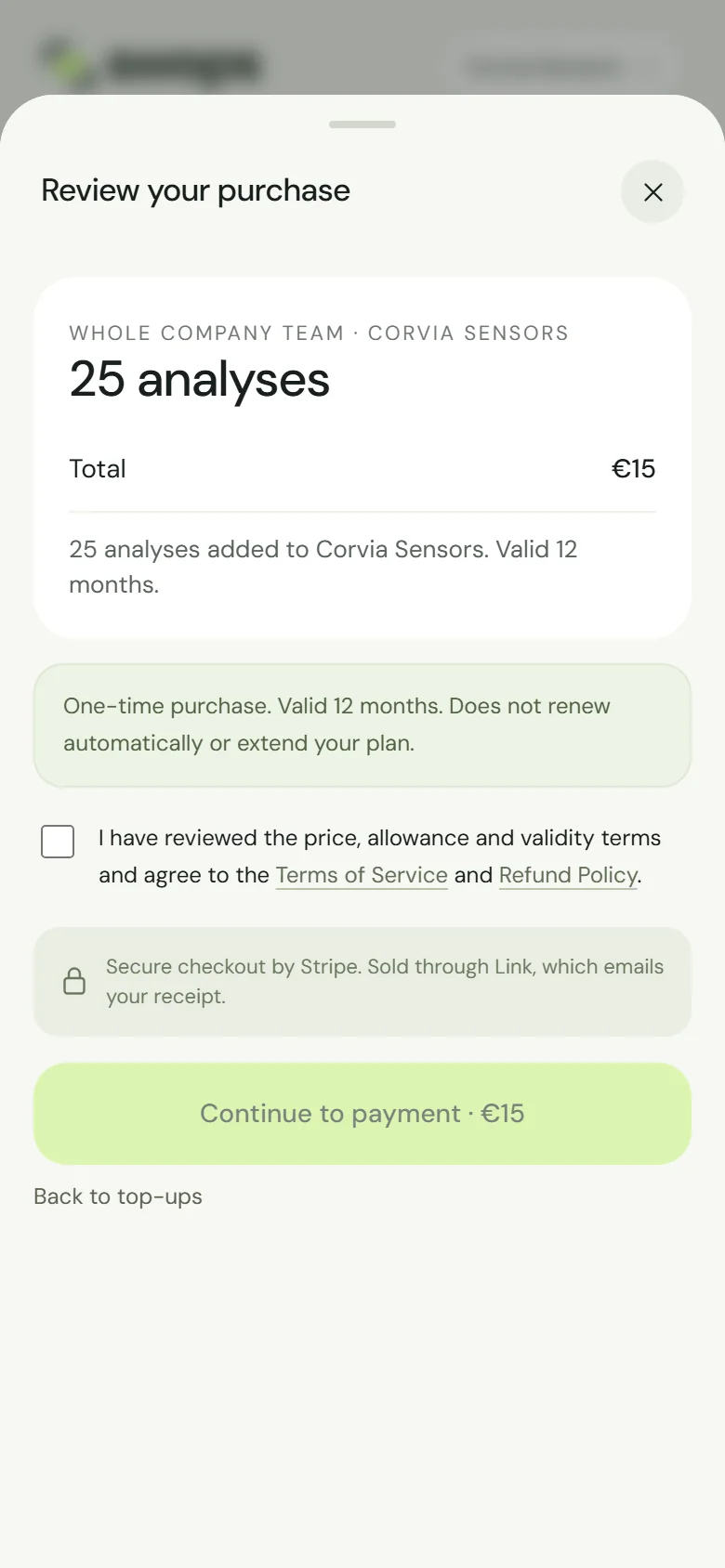
One-time purchase. Valid 12 months. Pay in the secure checkout. You’re ready says Allowance added and shows the new balance. Tap Continue.
When fewer than 10 scans are left, the scan sheet shows the count with a Top up link too.
When you run out mid-conversation
You do not need to go looking. With no scans left, tapping Scan Card or Upload a photo opens You’ve used your scans, straight at the 500-scan top-up: “Your Solo scans allowance is empty. Add 500 scans and carry on, or wait for your next included allowance.” With no analyses left, the contact’s button says Get more analyses and opens You’ve used your analyses with both analysis top-ups.
Pay, tap Continue and carry on where you were. Meanwhile, adding contacts by hand is always free.
Not the owner, or on the free trial?
- Members cannot buy for a company workspace. They see: “Only the owner of Corvia Sensors can add a top-up. Ask them to add one, or wait for your next included allowance.”
- On the free trial the sheet says: “Top-ups need an active paid plan: choose Solo, Team Pass or Business to continue.” with Choose a plan. See Plans at a glance.
Good to know
- Top-ups are used after any allowance that expires sooner, which is usually your monthly or Team Pass allowance. See Rollover and expiry.
- After a plan ends, a top-up keeps its expiry date but cannot be used until the workspace has an active paid plan again.
- A top-up stays in the workspace it was bought for. It cannot be moved to another workspace.
- Unused top-ups are not refunded. See Refunds.
- Link emails a receipt and invoice. In Purchase history it shows as, for example, 25 analyses top-up. See Invoices and receipts.