
In your inbox
For every payment, Link emails you a receipt and an invoice. Link, an affiliate of Stripe, sells Swops as the merchant of record, so these documents come from Link rather than from Swops. Link also emails refund notices and subscription confirmations. See Who is Link, and why is it on my bill?.
In Swops
Open the workspace the purchase was for.
Go to Account›Purchase history, under Billing & access.
Tap Invoice (PDF) to download the invoice, or Receipt to open the receipt in a new tab.
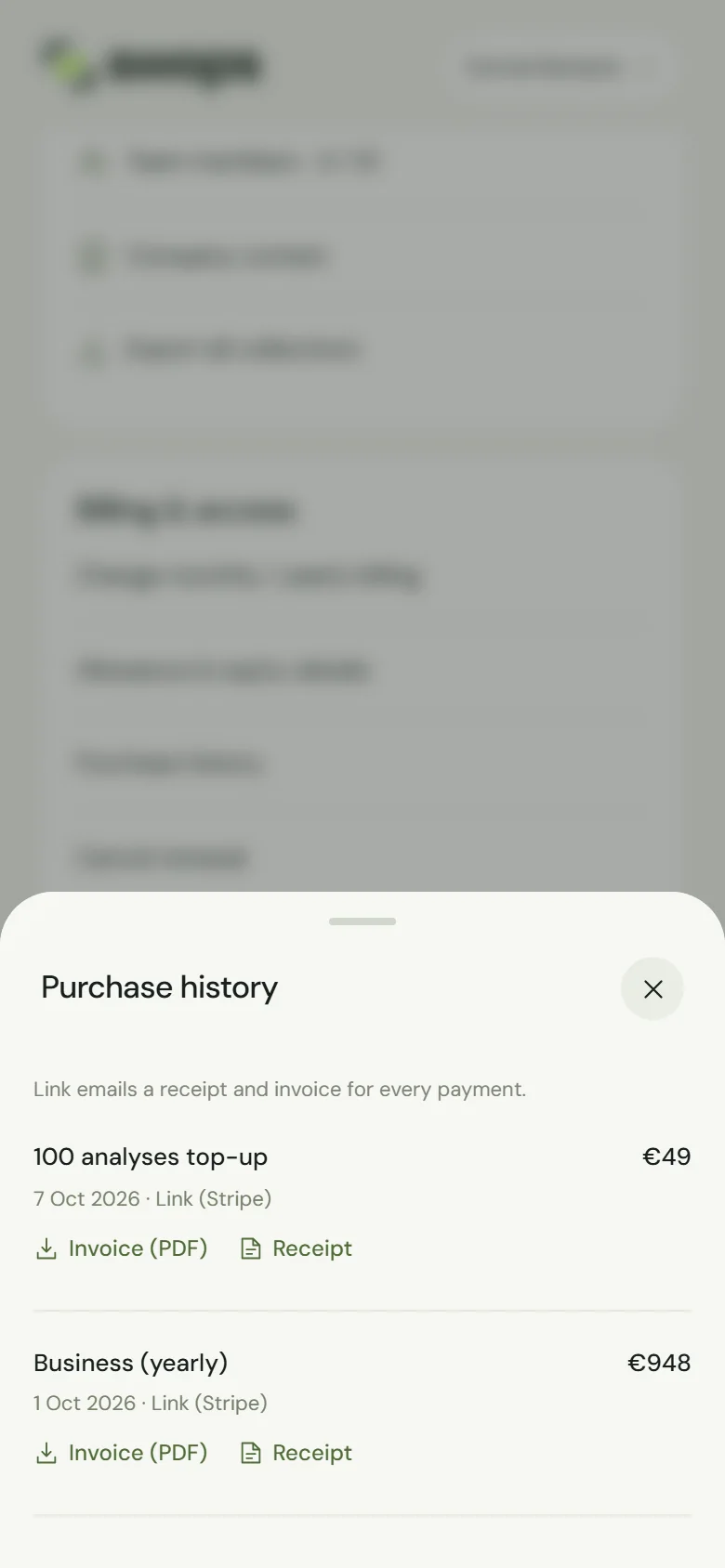
Every member of the workspace can open Purchase history, invoices and receipts, not only the owner. Handy for whoever does the expenses. Purchase history is per workspace: purchases for your personal space are listed there, and only you can see them.
Reading the list
Each line shows what was bought, the date with Link (Stripe), and the amount paid. Labels look like Solo (monthly), Business (yearly), Team Pass, Team Pass (renewal) or 500 scans top-up. A subscription renewal reads, for example, Solo (monthly) renewal.
Sometimes there is more after the date:
| Shown | Meaning |
|---|---|
| · processing | The payment is still being confirmed. A checkout you left unpaid shows this for up to an hour, then disappears from the list. |
| · not charged | The payment did not go through. Nothing was taken. |
| · refunded | The money went back to you. The invoice stays available. |
| · code and the amount off | A discount code was used. The amount on the right is what you paid. See Discount codes. |
| “, not applied” after the label | A plan payment Swops could not use, such as a second subscription for the same workspace. It is refunded in full automatically. See Refunds. |
If a button shows a message
- The invoice is not ready yet. Please try again in a few minutes. Stripe finishes the invoice shortly after the payment. The same goes for The receipt is not ready yet.
- There is no invoice for this payment. Link emailed you a receipt. / There is no receipt for this payment here. Link emailed you one. Look in your inbox for Link’s email.
- We could not get the invoice from Stripe. Please try again. A temporary problem. Try again in a moment.
Your company details or VAT number on an invoice
The invoices are issued by Link, which also handles order support. If you need your company name, address or VAT number on an invoice, or a corrected invoice, ask Link at support.link.com or through the link in its receipt email. You can also contact us with the date and amount of the payment, and we will look into it with you.
Good to know
- Prices and taxes: euro prices include VAT, and in US dollars any sales tax is added at checkout. See Currency, VAT and sales tax.
- If you delete your account, Swops keeps purchase records for accounting and tax law, but they no longer appear in the app. Download what you need first. See Delete your account.