
What a renewal gives you
- 12 more months, counted from the day the current pass ends. Renewing early loses no time.
- Its own 500 scans and 50 analyses, usable straight away and valid until the new end of the pass.
- 3 more collections. Your existing collections, contacts and members all stay.
- One payment of €119. Not a subscription: a Team Pass never renews by itself.
Renewals stack. Each one adds 12 months from where the previous one ends.
Renew
Only the owner can renew, any time while the pass runs or in the 30 days after it ends.
Open the Team Pass workspace and go to Account. Tap Renew Team Pass on the plan card. (In the Plans sheet, the Team Pass card says Renew Team Pass too.)
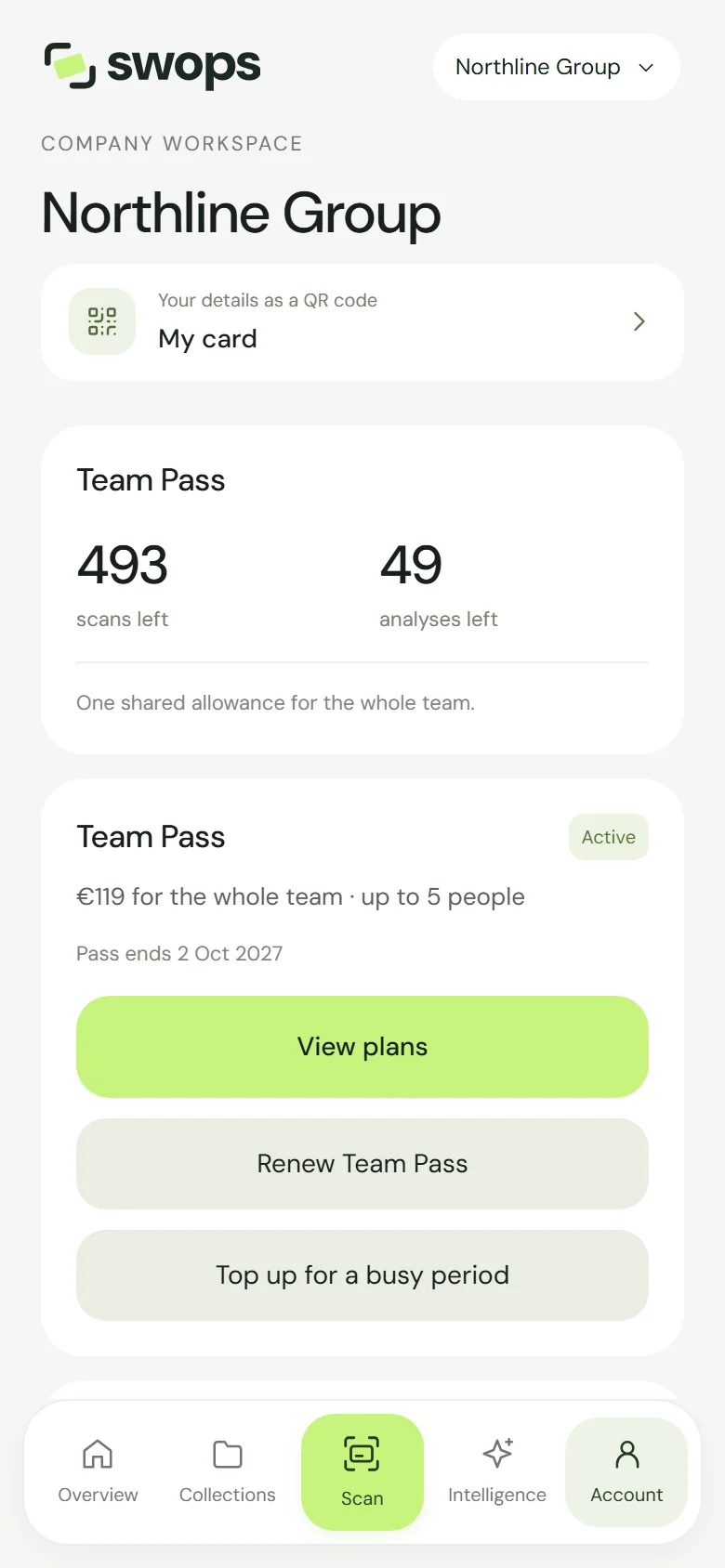
Pass ends 2 Oct 2027, with Renew Team Pass below View plans. Check Team Pass renewal. It says exactly what you get, for example: “Your current pass ends 2 Oct 2027. The renewal adds 12 months, to 2 Oct 2028. Its 500 scans and 50 analyses are yours to use now, and you get 3 more collections.” Below: “One payment for your whole team, not a subscription. No automatic renewal.”
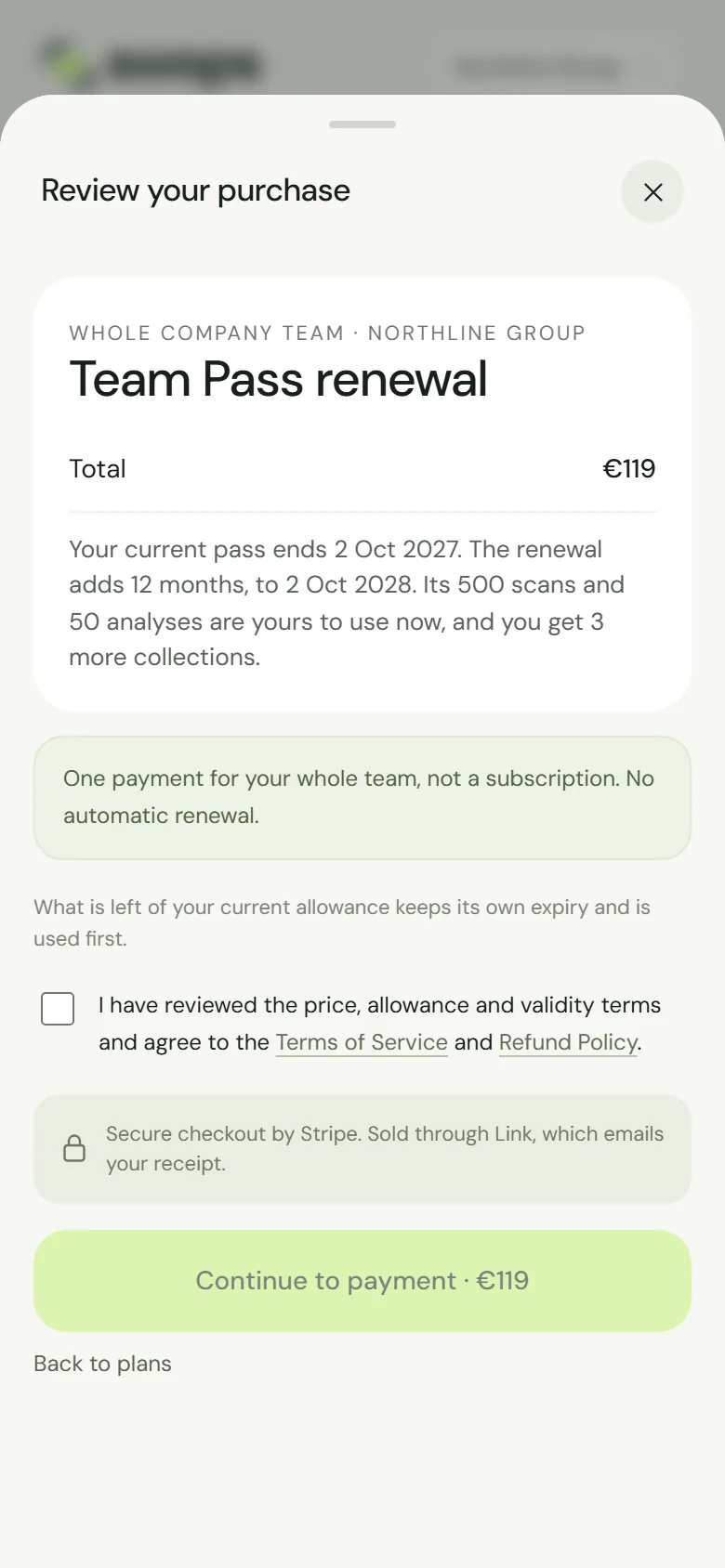
Team Pass renewal: one payment, 12 more months. Tick the box and tap Continue to payment · €119. Pay in the secure checkout.
You’re ready says Team Pass renewed and “Your pass now runs until 2 Oct 2028.”
What happens to what is left
The review adds: “What is left of your current allowance keeps its own expiry and is used first.” So the scans and analyses left on the current pass are used before the renewal’s, and still expire on the current end date. The renewal’s 500 scans and 50 analyses last until the new end.
After the pass has ended
When a pass ends, the workspace becomes read-only for 30 days: everyone can view and export, nothing new can be added. During those 30 days the owner can still renew. The review then says: “Your pass ended 2 Oct 2027. Renewing reactivates this workspace now, for 12 months…”, with 500 scans, 50 analyses and 3 new collections. The workspace is fully active again at once, and the 12 months count from the day you renew.
After the 30 days, the workspace’s contacts, notes, card photos and research are deleted and it can no longer be renewed. A new Team Pass would start afresh, in a new workspace. See What happens when a plan ends.
Reminders
Swops emails the owner 14 days before the pass ends: Your Team Pass ends on 2 October 2027. Keep the team together., with a Renew Team Pass button. It is not sent once you have renewed. If the pass ends anyway, the owner gets an email that the plan has ended, and a last reminder 7 days before the collections are deleted.
Good to know
- A Team Pass is for up to 5 people. To grow beyond that, or for a new allowance every month, move the workspace to Business instead. See Change your plan.
- Each renewal shows in Purchase history as Team Pass (renewal), with its own receipt and invoice. See Invoices and receipts.
- If a renewal is refunded, its 12 months and 3 collection slots come off again. Collections you created stay. See Refunds.