
Cancel the renewal
Only the workspace owner can cancel. Solo is cancelled in your personal space, Business in its company workspace.
Open the workspace and go to Account›Cancel renewal, under Billing & access.
Read Cancel your renewal? It says how long you keep the plan and what happens after: “You can keep using Business until 13 Oct 2027. After that, you have 30 days to view and export your collections before deletion.”
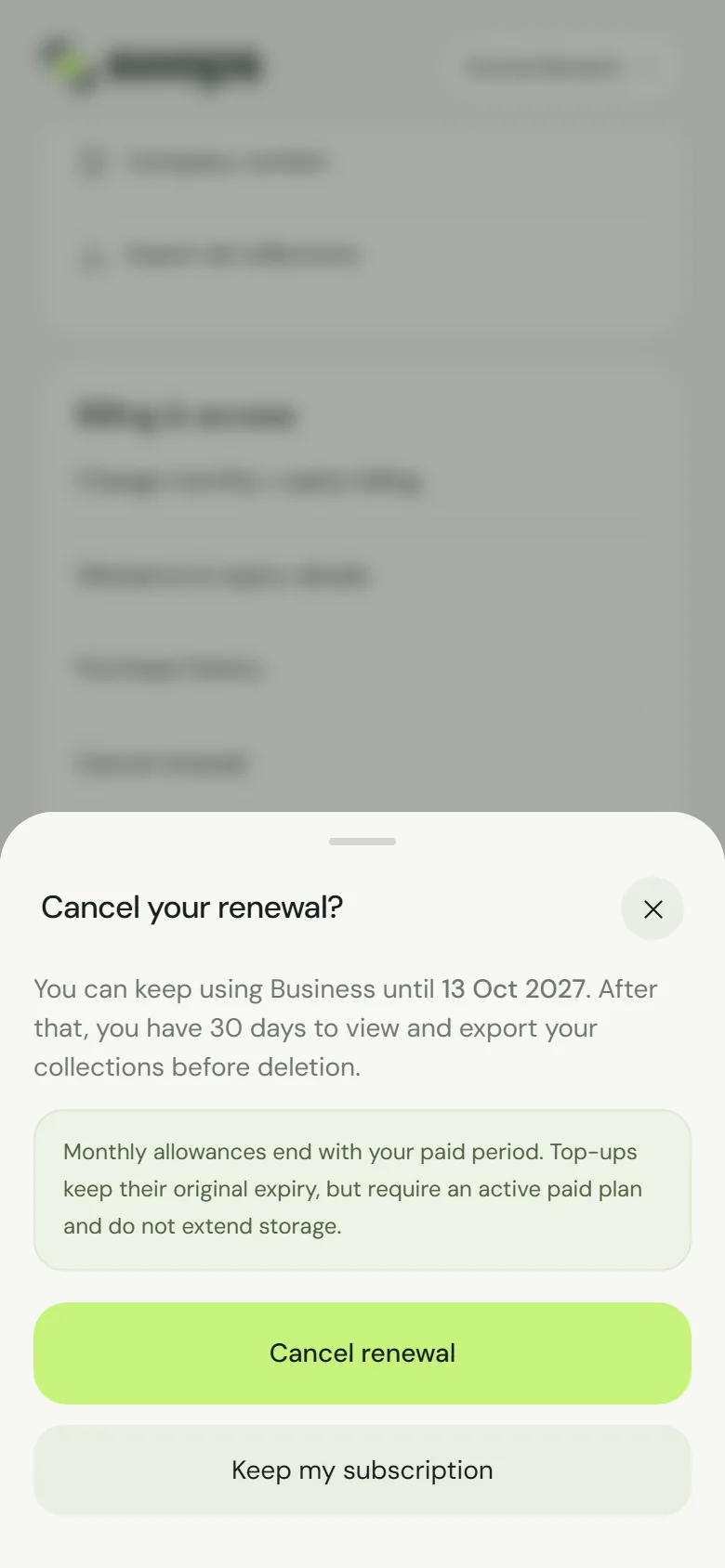
Cancel your renewal? Access continues until the end of the paid period. Tap Cancel renewal. Swops confirms: Renewal cancelled. Paid access continues until 13 Oct 2027.
Changed your mind on that screen? Tap Keep my subscription.
After cancelling, the plan card shows Ending soon, with Renewal cancelled · paid access until and Export until dates. A banner at the top says Renewal cancelled. Access continues until 13 Oct 2027.
What happens next
| When | What you can do |
|---|---|
| Until the end of the paid period | Everything, exactly as before. |
| The 30 days after | View and export your collections. Nothing new can be added. Choose a plan to continue. |
| After those 30 days | The workspace’s contacts, notes, card photos, research and company context are deleted. |
Swops emails the owner when the plan has ended, and again 7 days before deletion. Export what you want to keep: Export contacts to a CSV file. More in What happens when a plan ends.
Resume
Before the paid period ends: open Account›Keep subscription (the row that said Cancel renewal). Swops confirms: Subscription will renew on 13 Oct 2027. Nothing else changes.
After it has ended: a subscription that has ended cannot be resumed, but you can choose the plan again within the 30 days. The workspace is active again at once, with all its collections, and a new subscription starts that day. See Choose a plan and pay.
Cancelling at Link
You can also cancel through your Link account at app.link.com, as the review step says (“Cancel anytime in your Swops account or at link.com”). Swops picks up the change automatically. See Who is Link, and why is it on my bill?.
Good to know
- No refund for the current period. Cancelling stops future payments. See Refunds.
- Allowance. “Monthly allowances end with your paid period. Top-ups keep their original expiry, but require an active paid plan and do not extend storage.”
- A scheduled monthly or yearly switch is removed when you cancel. See Monthly or yearly billing.
- Team Pass has nothing to cancel. It is paid once and never renews by itself. It ends on its end date. See Renew a Team Pass.
- Deleting your account cancels a renewing Solo straight away, with no refund for the current period. See Delete your account.