

Set a priority
Every contact has a Priority, your own assessment of the lead: Hot, Warm, Cold or Unrated (the default). Tap a chip on the contact. On a new contact it is saved with the contact; on an existing one tap Save changes.
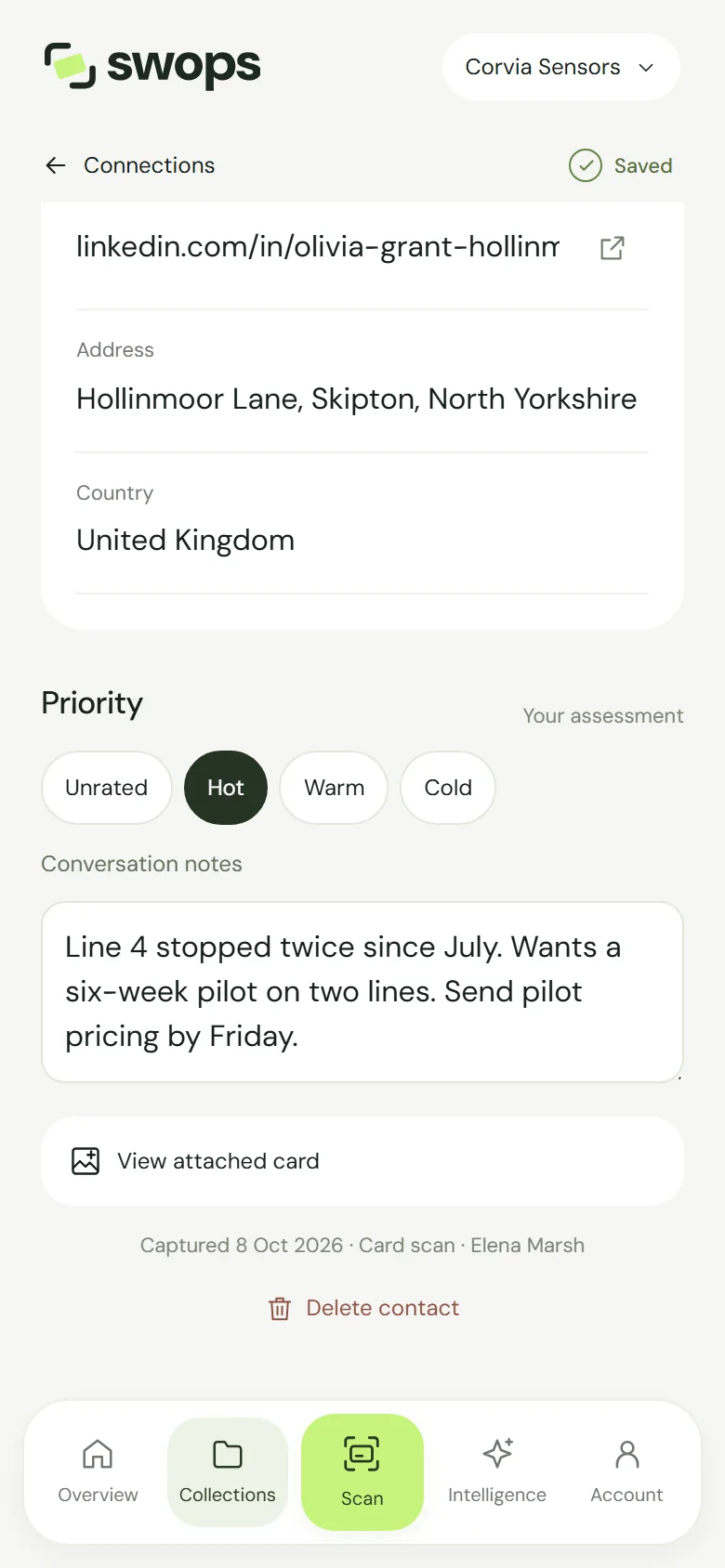
Priority is yours to set. Swops never scores leads for you.
Write the note while it is fresh
In Conversation notes (“What matters about this conversation?”), a good note is short and specific:
- what they need (“pricing for 3 sites”),
- what you promised (“send the dairy case study”),
- when to follow up (“after the 15th”).
Dictate instead of typing
At a busy stand, tap the microphone on your phone’s keyboard and speak the note. Your phone turns it into text; Swops saves it.
Where priorities and notes show up
- Lists: filter any collection by Hot, Warm, Cold or Unrated. See Find a contact.
- Overview: the High priority count is the number of Hot contacts.
- Search: notes are searched along with names and companies.
- Export: both are columns in the CSV file. See Export contacts to a CSV file.
In a company workspace, your teammates see the priority and notes too. That is the point: the colleague on the next shift knows who is hot before the visitor comes back.
Setting priorities and writing notes is always free.