
What happens
When a card you scan belongs to someone who is already in the same collection, Swops does not create a second contact. It opens the existing one and shows Already in this collection · no scan used. The scan is given back and the new photo is not kept.
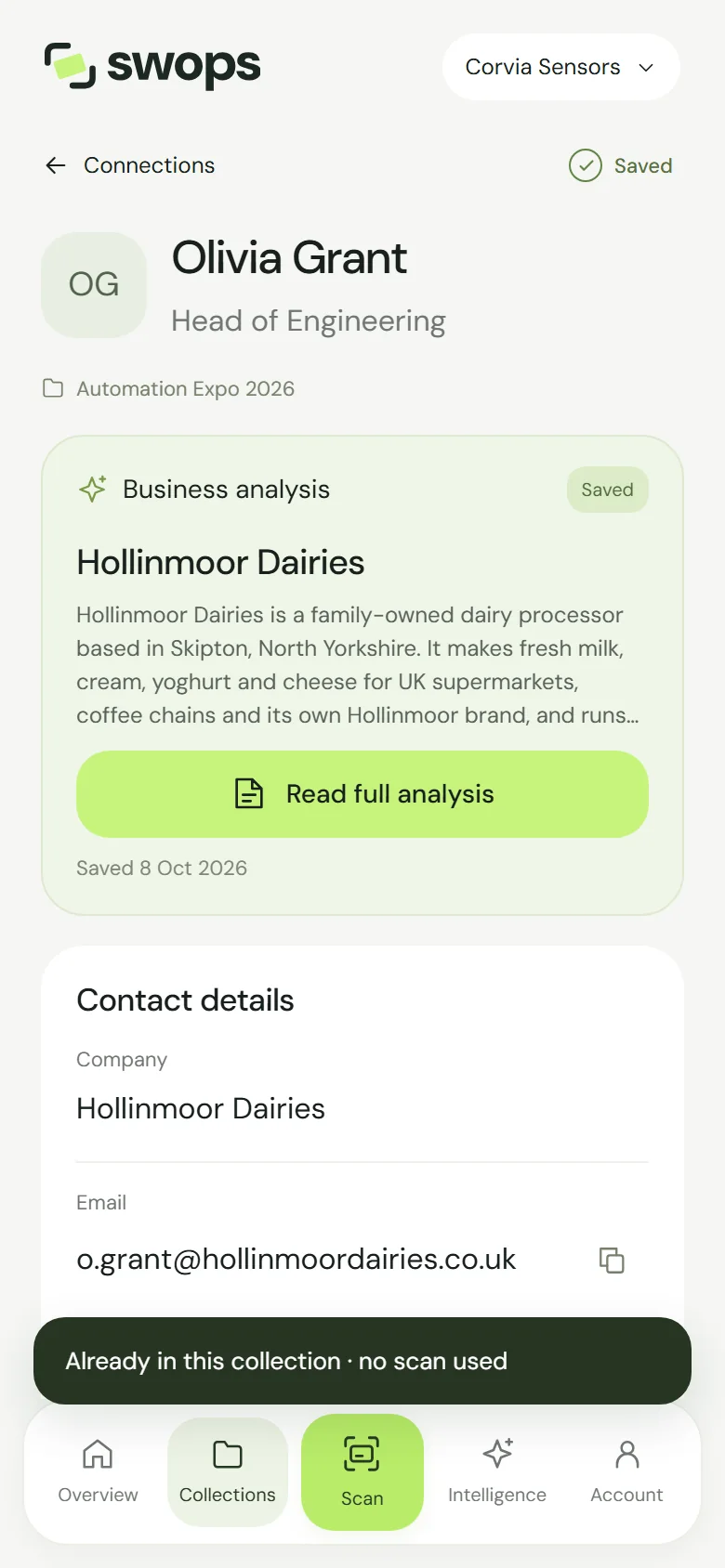
How Swops decides it is the same person
- The email address matches a contact in the collection (capital letters do not matter), or
- the card has no email, and the mobile number matches, with or without the country code. So “+30 694…”, “0030 694…” and “694…” count as the same number.
Office and landline numbers are not compared: colleagues often share them.
What is not checked
- Other collections. The same person can be in “Spring Expo 2026” and in “Partner Summit”. Each collection is its own list of who you met there.
- Other workspaces. Your personal space and a company workspace never look at each other.
- Manual contacts. Contacts you type in by hand are always saved as new.
Two colleagues, one visitor
In a company workspace, if a colleague already scanned the same person into the same collection, your scan opens their contact. Add your own line to its notes: the team keeps one contact with the whole story, instead of two halves.
Was it really someone else?
Two people at one company can share a generic email such as info@… If Swops opens the wrong person, add the second contact by hand: Add a contact by hand.