
Three reasons
| Why | What you see | How to edit again |
|---|---|---|
| The collection is archived | “· Archived” under its name. On a contact: “Archived collections are ready to view and export. Restore the collection to add or change contacts.” | Restore the collection |
| The workspace’s paid access has ended | A banner: “Read-only until 14 Nov 2026. Export your collections or choose a plan to continue.” On a contact: “Your access period has ended. Export your work or choose a plan to continue.” | Choose a plan, or renew the Team Pass |
| A company workspace has no plan yet | A banner: “Choose a plan to start using this workspace.” There are no collections until a plan starts. | Choose Team Pass or Business |
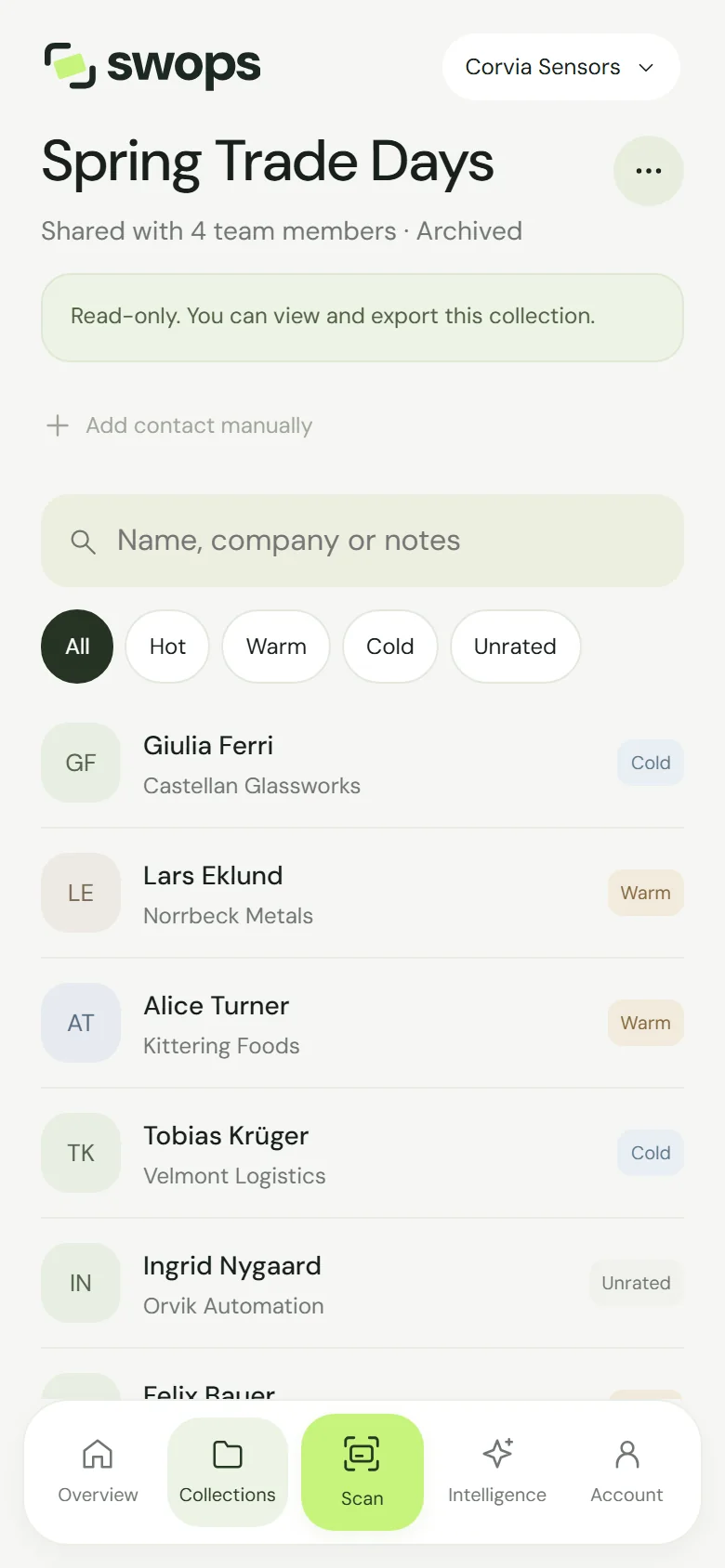
On a read-only collection the phone shows Read-only. You can view and export this collection. and Add contact manually is greyed out. The laptop says This collection is read-only. Saved contacts and business briefs remain available to view and export.
What still works
- Opening contacts and reading every detail, searching and filtering by priority.
- Exporting to CSV, with the saved AI analysis if you like. See Export contacts to a CSV file.
- Reopening saved briefs, free, from a contact or from Intelligence.
What does not
- Scanning or adding contacts. Scan shows This collection is read-only.
- Editing details, priorities or conversation notes, and deleting contacts.
- New research and Research again: “This collection is read-only. You can still open saved reports.”
- Renaming the collection. After paid access ends, also creating, archiving and restoring collections, and changing the company context.
Getting editing back
An archived collection. Open it, tap … and choose Restore collection. The workspace needs an active plan, and on the free trial and Solo a free slot. See Rename, archive and restore a collection.
Scan says read-only but you only want to keep scanning? Your current collection is an archived one, often because you opened it from Collections. Tap the button under the heading on Overview and choose an active collection. See Choose where new contacts go.
Paid access has ended. For 30 days after a plan ends, the workspace is read-only (Export only) so you can take your contacts with you. To carry on instead:
- Solo or Business: the owner taps Choose a plan in the banner and buys again. The workspace is active again at once, with all its collections.
- Team Pass: the owner taps Renew Team Pass. The pass runs 12 months from the renewal, with a fresh allowance and three new collections. See Renew a Team Pass.
- A renewal payment failed: the workspace goes read-only straight away while Link retries the card. Update your card with Link; when a retry succeeds, editing comes back by itself. See When a renewal payment fails.
After the 30 days, the workspace’s contacts are deleted. See What happens when a plan ends.
No plan yet. The owner chooses Team Pass or Business. Members see “Only the owner of Northline Group can choose its plan.” See Choose a plan and pay.
When the 30-day trial ends, its contacts are deleted rather than turned read-only. Export before the last day. See The free trial.