
What is kept
When you scan a card, the AI reads the photo, and a smaller copy is kept with the contact. It is enough to check a detail or see the card again.
Some photos are not kept at all:
- Your own card, when you scan it to fill in My card. It is read, and nothing is stored.
- A duplicate: when the card is already in the same collection, the new photo is dropped. See “Already in this collection”.
- A photo that is not a business card. It is deleted, and no scan is used.
Seeing the photo
Open the contact and tap View attached card. The photo loads in a moment (Loading the photo…). This works on the phone and on the laptop, and it still works in an archived collection or during the 30 days after a plan ends.
Attaching a photo without reading it
Adding a contact by hand? Tap Attach card photo before you save. The photo is kept with the contact, but it is not read and uses no scan. Tap Remove photo to take it off before saving.
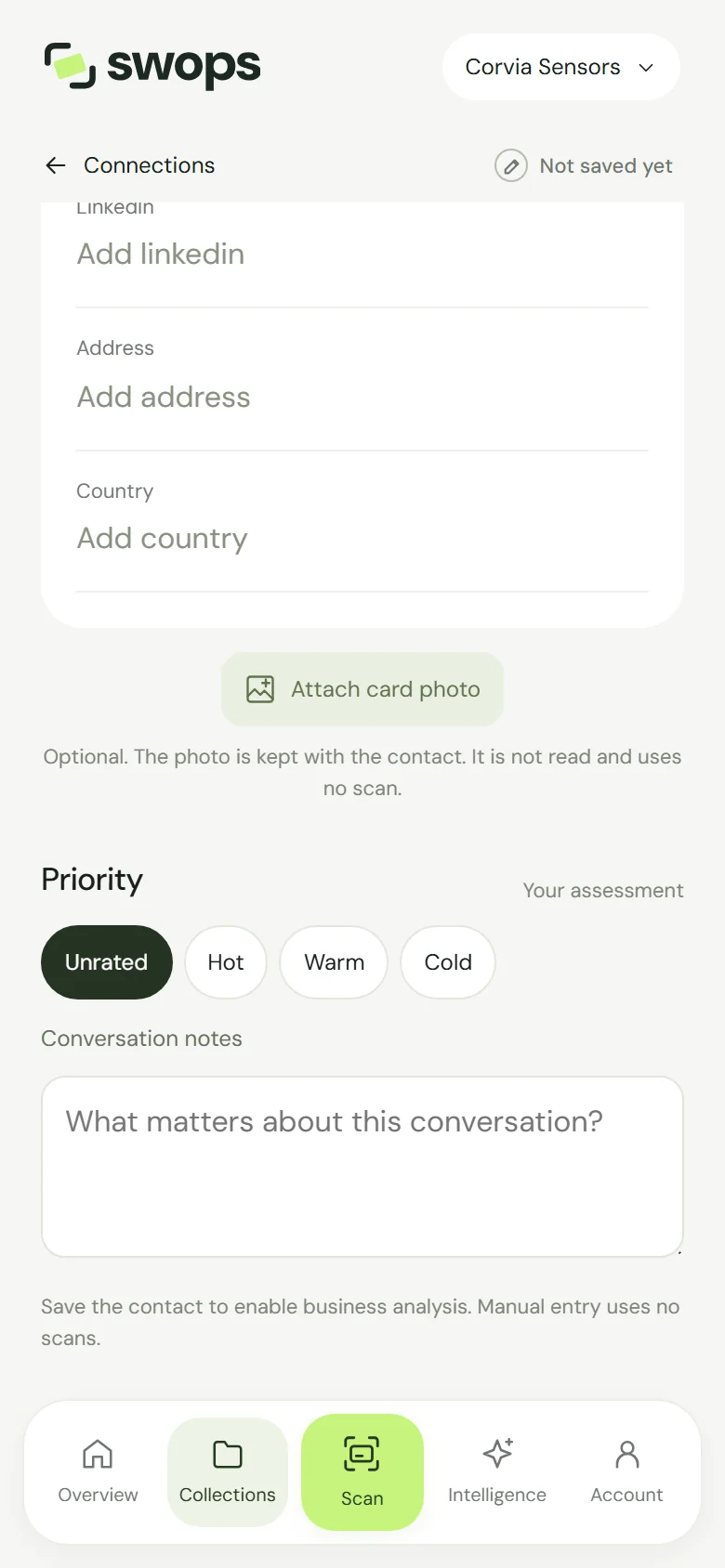
A photo can be attached only while you create the contact. You cannot add one to a contact that is already saved.
Where photos are stored
Card photos are kept in private storage in the EU, with the rest of your data. They are never public: only members of that workspace can see them. See Where your data is stored.
When photos are deleted
A card photo is deleted with:
- its contact, when you tap Delete contact,
- its workspace, when an owner deletes a company workspace, or when the free trial or the 30-day export window ends,
- your account, for the photos in your personal space.
There is no way to remove just the photo and keep the contact.
Card photos are not part of the CSV export. View them in Swops while you have access. See Export contacts to a CSV file.