
Where to find it
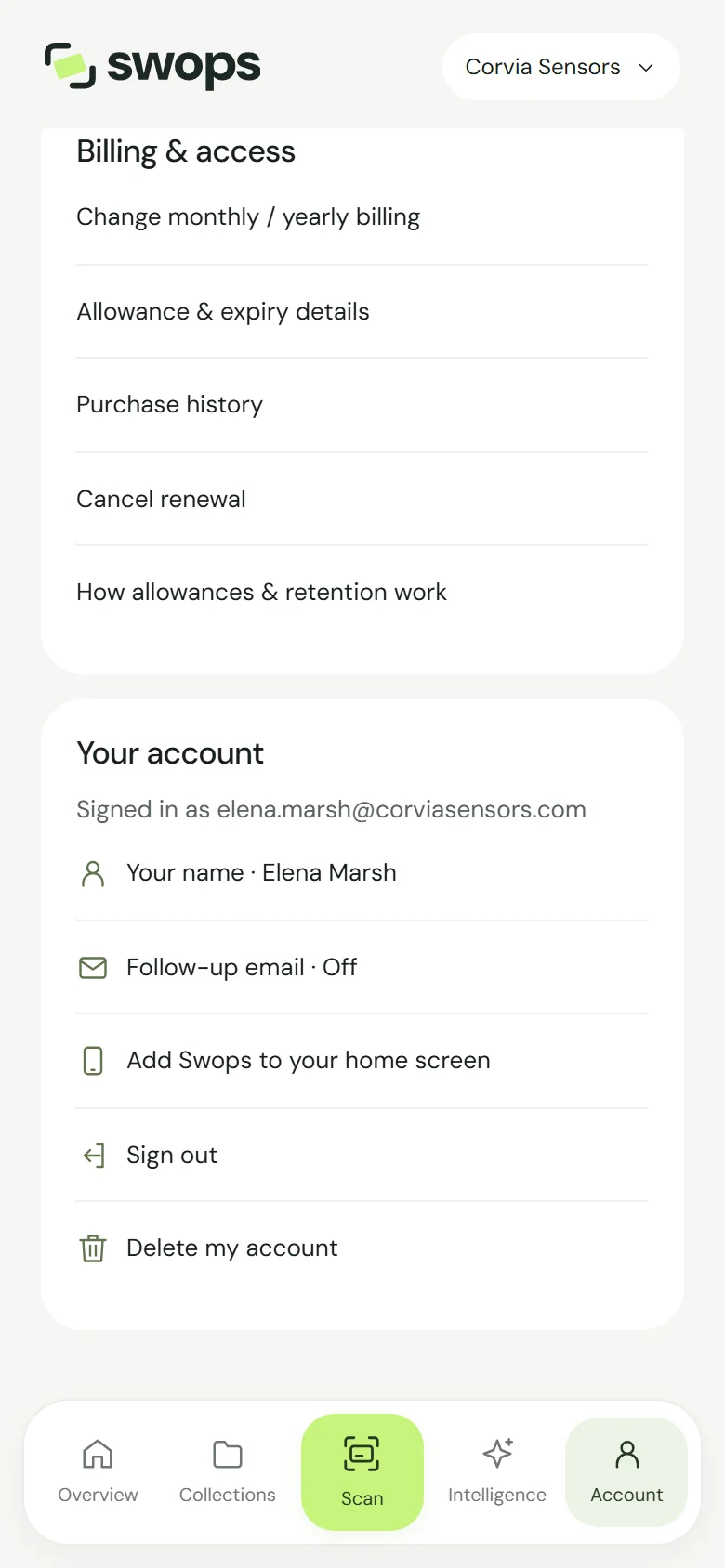
- Phone: open Account, scroll to Your account and tap Sign out.
- Laptop: Sign out at the bottom of the sidebar, or under Your account in Plan & billing.
There is no confirmation step: Swops signs you out straight away and shows the sign-in screen.
It signs you out everywhere
Sign out ends your sign-in on all your devices, not only the one in your hand. Your other phones, tablets and browsers ask you to sign in again, at the latest within about an hour.
So signing out on a borrowed laptop at the stand also signs out your phone. Keep your email to hand for a new code.
Your data stays
Signing out deletes nothing. Your contacts, collections, briefs and settings are stored online and are all there when you sign back in with a new code. See Create your account and sign in.
Good to know
- Lost your phone? Sign out on any other device: that signs out the lost phone too. No other device signed in? Sign in on any browser with a code, then tap Sign out.
- Switching to another account? Sign out, then sign in with the other email address. See Change your email address for why a different address means a different account.
- Unsaved changes on a contact? Save or discard them first. Signing out does not keep them.
- Leaving Swops for good? Signing out is not the same as deleting your account. See Delete your account.