
Work through this list
Give it a minute. Codes usually arrive within seconds, but some email services hold messages for a short while.
Check spam, junk and other tabs. Look in Spam or Junk, and in tabs such as Promotions, Updates or Other.
Search your inbox. Search for Swops sign-in code, or Confirm your Swops account if this is your first time. Both come from [email protected].
Check the address. The code screen shows where it was sent. A typo sends the code somewhere else. Tap Use another email to fix it.
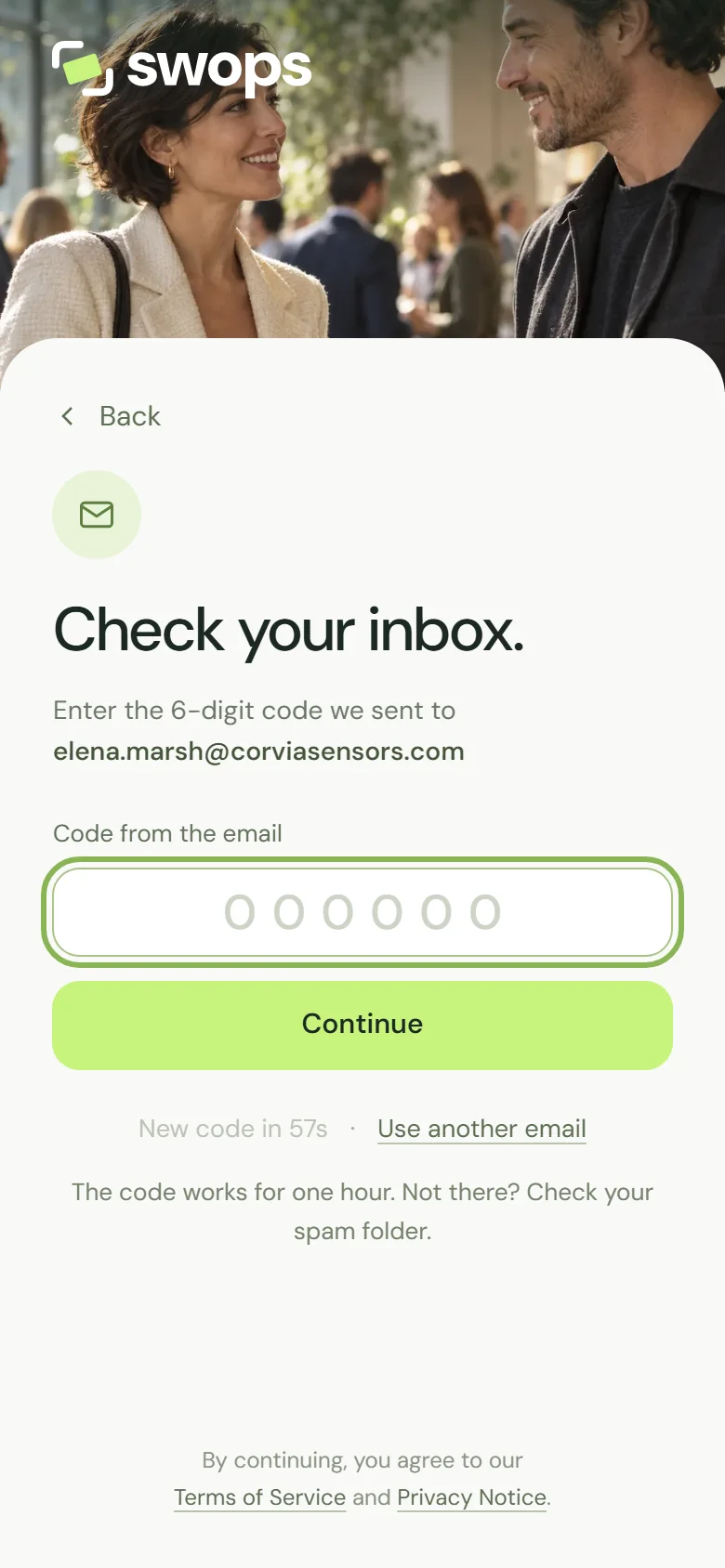
The address the code went to, the countdown and Use another email. Send a new code. When the 60-second countdown ends, tap Send a new code. We sent a new code to your address confirms it.
Use the newest email. Each new code replaces the one before, so only the latest email works.
Signing in with a work address
Company email systems sometimes hold or block automatic emails from senders they do not know. If codes to your work address never arrive but a personal address works, ask your IT team to allow emails from [email protected].
Your work address matters if your team uses Swops: invitations to a company workspace only work with the address they were sent to. See Join a team.
Messages you might see
| Message | What it means |
|---|---|
| A code was just sent. Wait a minute before asking for a new one. | The last code went out moments ago. Check your inbox, then try again after the countdown. |
| We have sent too many emails for now. Wait a few minutes and try again. | Swops is sending a lot of emails right now. Wait a few minutes. |
| Too many attempts. Wait a minute and try again. | There were many sign-in attempts from your network in a short time. Wait a minute. |
| Check the email address and try again. | The address is not valid. Check it for typos. |
| Enter your email address, like [email protected]. | The address is incomplete. |
Everyone on the same Wi-Fi shares one limit on sign-in tries. When a whole exhibition hall signs in at once, that limit can be reached. Switch your phone to mobile data and try again. See Poor connection at the venue.
Still nothing?
Contact us with the address you are trying to sign in with. Never send us a code: nobody at Swops needs it.
If a code did arrive but Swops will not accept it, see The code or sign-in link does not work.