
First: did Swops send it?
Think back to the message after the scan. Contact saved · follow-up email sent means Swops sent it (if you closed the scan sheet while it was reading, the message has the person’s name in the middle): skip to Sent, but not received below. Just Contact saved means no follow-up went out for that scan. The list below tells you why.
Not sent: check these
Is it switched on? Open Account. Under Your account the row should read Follow-up email · On. If it says Off, open it, switch on Send my details right after I scan a card and tap Save.
Did you tick the confirmation? Switching on needs the one-time tick: "I confirm that this will be sent only to people who gave me their card…". Until you tick it, Save stays greyed out and nothing is switched on.
Is My card saved, with your name and email? If not, the sheet says "The email sends your details from My card. Save My card with your name and email address first." Tap Set up My card. The row shows Off until My card has both.
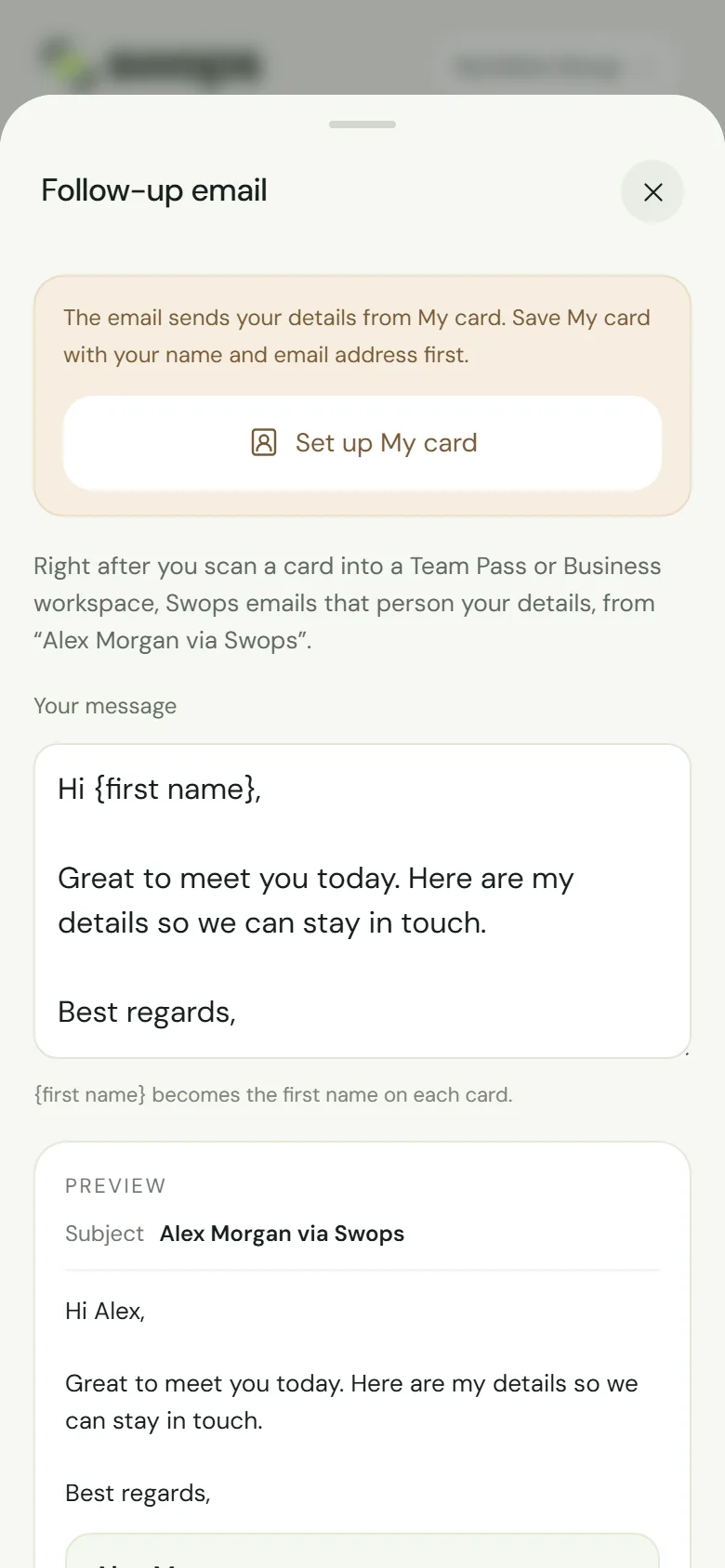
No My card yet: set it up first, then switch on. Which workspace did you scan into? Look at the name at the top. Follow-ups only go out in a company workspace with an active Team Pass or Business. Not in your personal space (Free trial or Solo). A company workspace with no plan yet, or in its read-only export window, cannot take scans at all.
Was it a scan? Contacts added by hand, with or without a card photo, never get one.
Was it a new contact? Already in this collection · no scan used means the person was already there. No new contact, no email.
Did the card have an email address? Open the contact. No email, or a misread one, means no follow-up. Fixing the email afterwards does not send one: there is no send button.
Have you sent this person one before? Each person gets one follow-up from you: also from another collection or workspace, and also after you deleted the contact and scanned them again.
Was it your own address? Follow-ups never go to your sign-in email or the email on My card. Testing with your own card does not work for that reason: ask a colleague for theirs instead, with their OK.
More than 200 today? Above 200 follow-ups in 24 hours, the rest are skipped without a message.
Sent, but not received
- Spam and junk. Ask them to look in spam, junk or a promotions tab. Searching for your name usually finds it: the subject is "<Your name> via Swops".
- Company mail filters. Some company mail systems hold emails from new senders, or with attachments such as the contact file, in quarantine. Their IT team can release it, or allow the address follow-ups come from: [email protected].
- A misread address. Check the email on the contact. One wrong letter and it went somewhere else.
- A problem on our side. Rarely, a send fails. Swops does not retry a failed follow-up later.
A follow-up cannot be sent again from Swops. To get your details to them now, send your contact file from My card (Share, see Share My card with a QR code) or write to them from your own mailbox.
Contact us with the workspace name and roughly when you scanned the card.